
Creating a weekly budget using GCash or Maya can be a practical way to manage everyday expenses without waiting until the end of the month to find out where your money went.
For many Filipinos, e-wallets have become part of daily financial life. GCash and Maya can be used to pay bills, buy food, shop online, send money, pay for transportation, and handle other routine expenses.
That convenience, however, can also make it easy to spend without noticing how quickly small purchases add up.

A weekly budget gives you a shorter and more manageable timeframe. Instead of trying to control every peso for an entire month, you can decide how much you can spend each week and monitor your progress along the way.
Here is a simple way to build one using your GCash or Maya account.
Start with your actual weekly income
Before setting spending limits, determine how much money you can realistically allocate for the week.
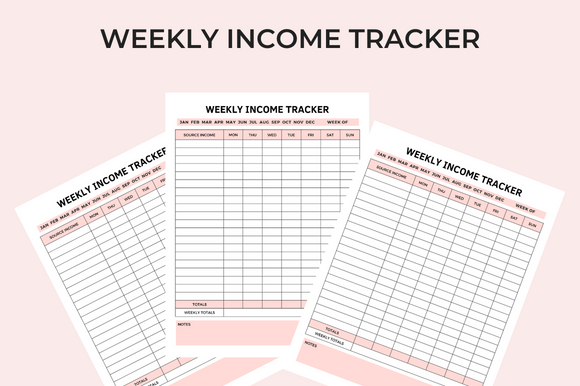
If you receive a monthly salary, start by identifying your take-home income after mandatory deductions. You can then estimate how much is available for weekly expenses after setting aside money for fixed monthly obligations and savings.
For example, if your monthly take-home pay is ₱20,000, you should not simply divide the entire amount by four and assume you can spend ₱5,000 every week.
You may have monthly expenses such as rent, utilities, insurance, loan payments, subscriptions, or family obligations. Savings should also be treated as an expense that needs to be set aside before discretionary spending.
After accounting for these commitments, determine your actual weekly spending allowance.
If you have ₱8,000 available for food, transportation, personal expenses, and other variable costs for the month, you could start with a weekly budget of around ₱2,000.
The exact amount will depend on your income and financial priorities.
Divide your weekly budget into categories
Once you know your weekly spending limit, break it down into categories.
A simple weekly budget could look like this:
| Category | Weekly Budget |
|---|---|
| Food and groceries | ₱900 |
| Transportation | ₱400 |
| Personal expenses | ₱300 |
| Entertainment | ₱200 |
| Emergency buffer | ₱200 |
| Total | ₱2,000 |
These numbers are only an example. Your own allocation should reflect your lifestyle and priorities.
The advantage of creating categories is that you can immediately see which expenses are consuming most of your money.
For instance, if food consistently exceeds its weekly limit, you may need to reduce food deliveries or prepare more meals at home. If transportation costs are higher than expected, you can adjust another category rather than simply increasing your overall spending.
Use GCash or Maya as a spending tracker
Your e-wallet can become more than a payment tool. It can also help you monitor your spending.
At the beginning of the week, set aside your planned spending amount. You can keep your money in your e-wallet or divide your funds across your bank account and e-wallet depending on your financial setup.
The important thing is to establish a clear spending boundary.
Every time you use GCash or Maya for a purchase, record what the transaction was for. You do not necessarily need a complicated spreadsheet. A simple notes app, budgeting app, or spreadsheet can be enough.
For example:
Monday:
Food: ₱180
Transportation: ₱100
Tuesday:
Lunch: ₱150
Online purchase: ₱250
By the middle of the week, you should already have a clearer picture of how much you have spent and how much remains.
Set a daily spending limit
A weekly budget becomes easier to follow when you translate it into a daily guideline.
If you have ₱2,000 for the week, you could use an average daily spending limit of about ₱285. This does not mean you need to spend exactly ₱285 every day.
Some days may cost more because of transportation or groceries, while other days may cost less.
The purpose is simply to give you a reference point.
If you spend ₱500 on Monday, for example, you know that you need to be more careful during the rest of the week rather than continuing to spend as usual.
This is one reason a weekly budget can be more effective than simply checking your balance. Your remaining balance has meaning when you compare it with the number of days and expenses still ahead.
Be careful with small digital purchases
One of the biggest challenges of budgeting with e-wallets is that digital payments can make small purchases feel insignificant.

A ₱100 coffee, ₱150 delivery fee, or ₱200 online purchase may not seem like a major financial decision. But several small transactions can quickly consume a large portion of your weekly allowance.
Before making an unplanned purchase, ask yourself one question: Does this fit into this week’s budget?
If the answer is no, consider whether you can postpone it until next week.
This simple pause can prevent impulse purchases from becoming a regular part of your spending habits.
Use promotions without letting them drive spending
GCash and Maya regularly offer discounts, cashback opportunities, vouchers, and other promotions. These can help reduce the cost of purchases when used strategically.
However, a discount does not automatically mean you saved money.
If you spend ₱500 because a product has a ₱100 voucher, you still spent ₱400. If you would not have purchased the item without the promotion, the discount may simply encourage additional spending.
Include promotions in your budgeting strategy, but do not increase your spending limit just because an offer is available.
Keep an Emergency Buffer
Do not allocate every peso of your weekly budget to planned expenses.
If you have ₱2,000 available, setting aside ₱200 as a buffer can give you some flexibility when an unexpected expense appears.
You might need additional transportation money, medicine, a school-related expense, or another urgent purchase.
Without a buffer, an unexpected expense could force you to borrow money or use funds intended for another purpose.
If you do not use the buffer during the week, you can move it into your savings or allow it to accumulate as a larger emergency fund.
Review your spending every weekend
A weekly budget works best when you review it consistently.
At the end of each week, check your GCash or Maya transactions and compare your actual spending with your planned budget.
Ask yourself:
- Which category did I overspend on?
- Which expenses were necessary?
- Which purchases were impulsive?
- Did I have enough money for unexpected expenses?
- What should I change next week?
Do not treat going over budget as a failure. The purpose of tracking is to understand your habits and make better adjustments.
If you consistently spend ₱2,500 despite setting a ₱2,000 limit, the solution may not simply be to force yourself to spend less. You may need to examine whether your original budget accurately reflects your actual cost of living.
Turn weekly budgeting into a habit
The biggest benefit of a weekly budget using GCash or Maya is visibility.
Instead of wondering where your salary went at the end of the month, you can identify spending patterns while there is still time to adjust them.
Start with a realistic amount, divide it into categories, track your transactions, and review your spending every week. Keep your savings and fixed obligations separate from your everyday spending budget whenever possible.
Most importantly, use your e-wallet as a tool rather than treating its balance as money that is automatically available to spend.
A weekly budget does not have to be complicated. Sometimes, knowing exactly how much you can spend today is enough to make sure you still have enough for tomorrow.